Appearance
Player account links
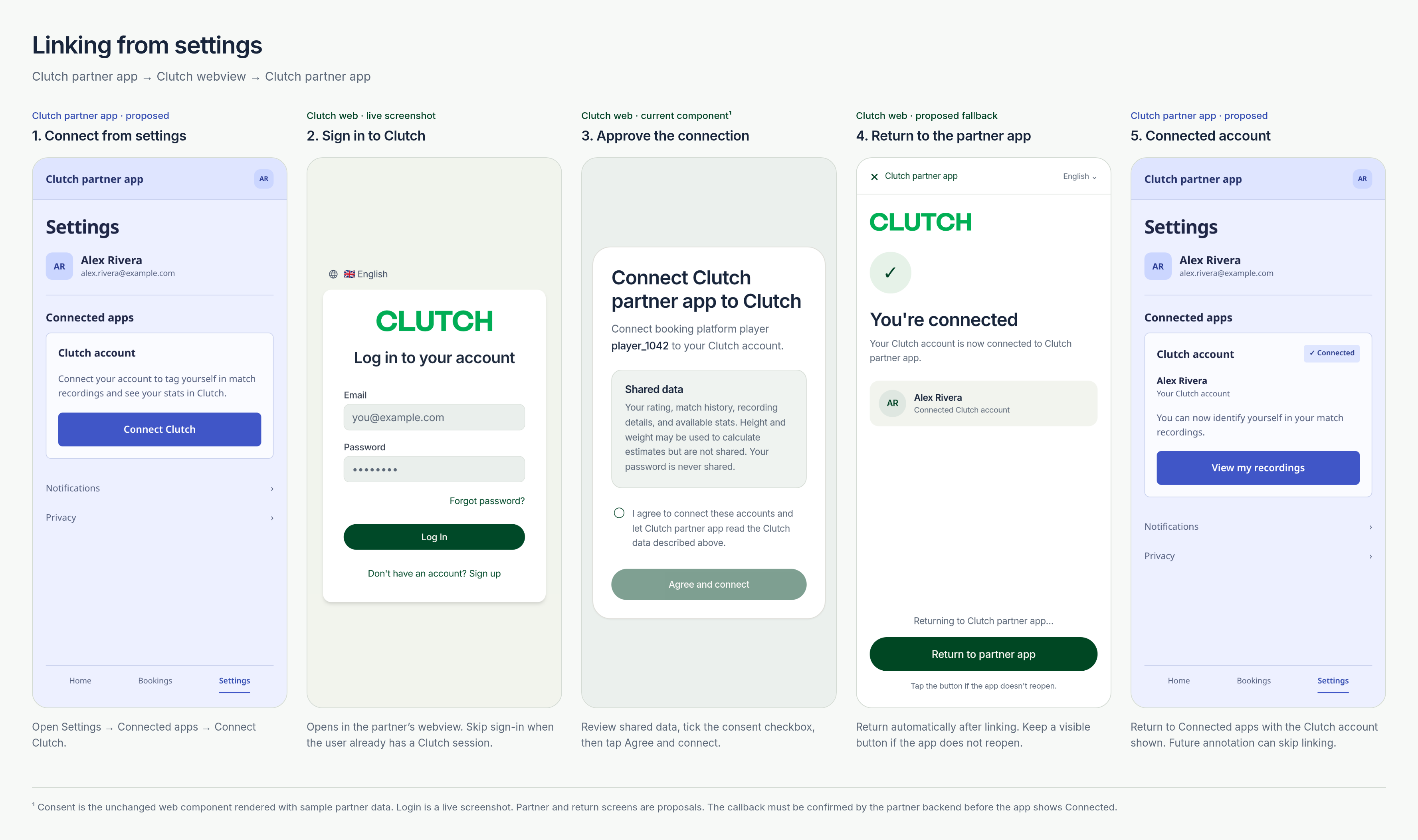
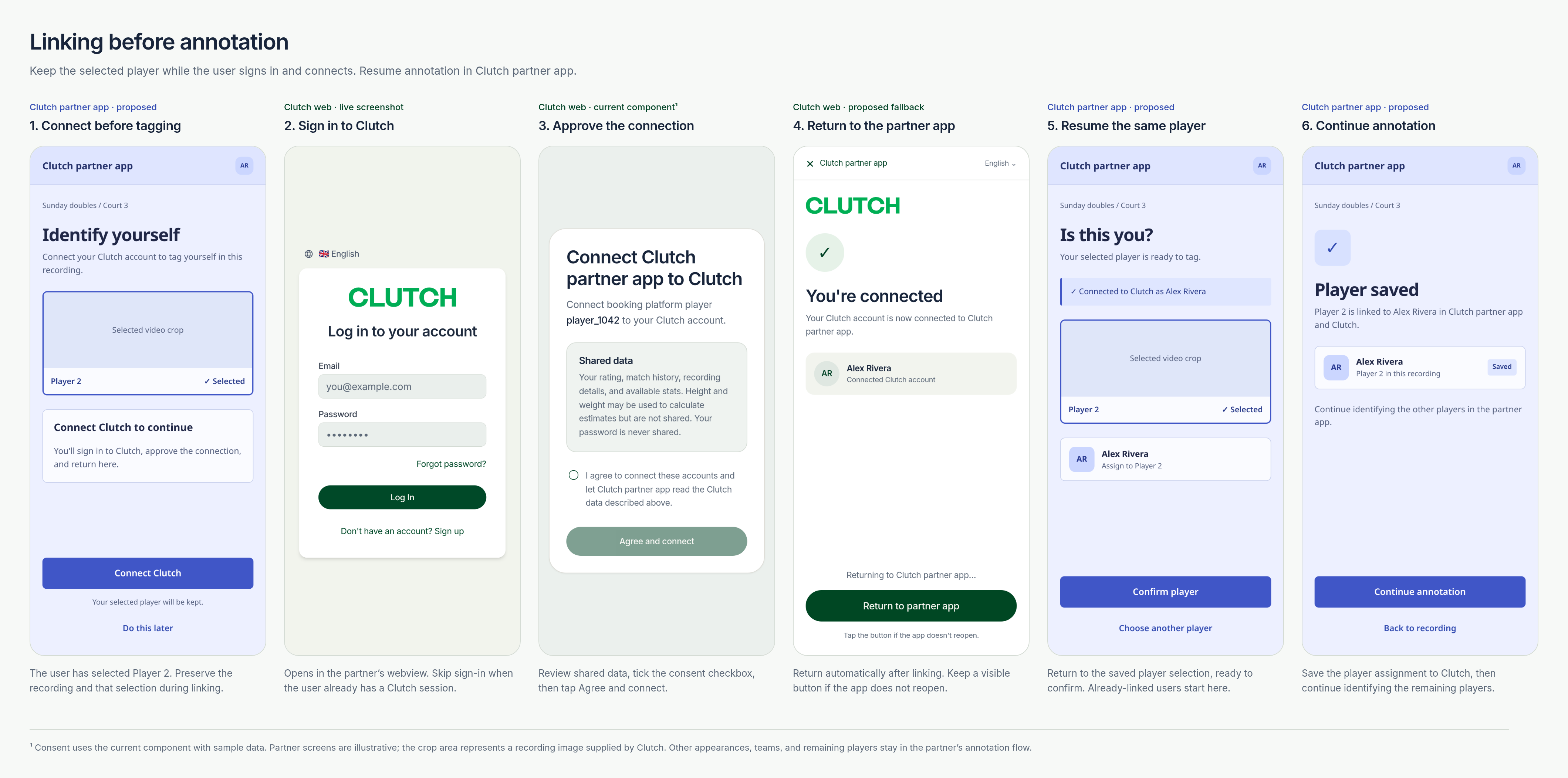
Use partner_player_id for the player ID in your system. Open Clutch for login and consent, then return to your app to annotate the recording. Keep partner API credentials on your backend; URL-encode path IDs.
POST /partner/player-links
Request annotation permission:
json
{
  "partner_player_id": "player_1042",
  "purpose": "annotation",
  "return_url": "clutchpartner://clutch/return",
  "state": "5hj9R4Wpi7zj2Zy8S7qzMQ"
}
return_url is optional; the other fields are required for purpose: "annotation". Omit video_id and keep the recording and selected player in your app. Omitting purpose preserves the Clutch-hosted tagging flow below.
Bind a fresh random state (at least 128 bits) to the signed-in player and saved destination. If supplied, return_url must exactly match a registered HTTPS app link or custom scheme; ask Clutch to register it. Reserve its state and status query names.
201 Created when consent is needed:
json
{
  "data": {
    "clutch_user_id": null,
    "annotation_allowed": false,
    "link_url": "https://dashboard.clutchapp.io/partner/connect#token=EXAMPLE_TOKEN",
    "expires_at": "2026-10-30T17:00:00Z"
  }
}
Open link_url in a webview. It expires after 24 hours. An already authorized player receives 200 OK; skip the webview:
json
{
  "data": {
    "clutch_user_id": "user_alex_example",
    "annotation_allowed": true,
    "link_url": null,
    "expires_at": null
  }
}
GET /partner/players/{partner_player_id}/link
Read the current connection and annotation permission. No request body.
GET /partner/players/player_1042/link → 200 OK:
json
{
  "data": {
    "clutch_user_id": "user_alex_example",
    "annotation_allowed": true
  }
}
An unlinked player returns a null ID and false permission. An older link can return an ID with false permission. Show Connected only when permission is true; otherwise offer Connect Clutch.
Returning to your app
With return_url, Clutch navigates to:
txt
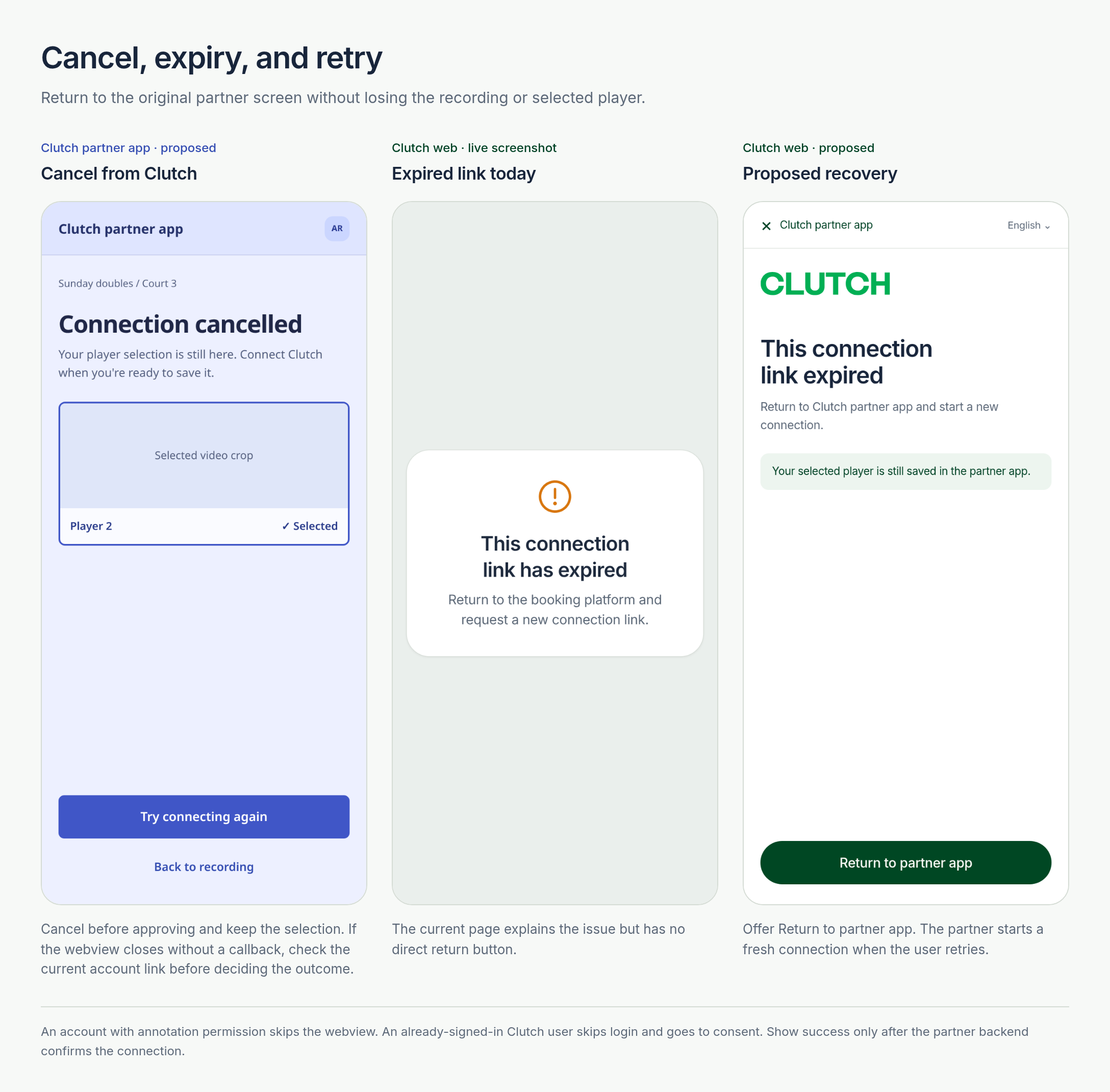
clutchpartner://clutch/return?state=5hj9R4Wpi7zj2Zy8S7qzMQ&status=linkedThe callback carries state and a linked, cancelled or expired hint. Match the registered scheme, host, path and fixed parameters, then close the webview. Your backend verifies state against the signed-in player and calls GET /partner/players/{partner_player_id}/link before resuming the saved screen.
Omit return_url or send null to finish on a Clutch confirmation screen. Keep a native close control and check the link whenever the webview closes without a callback. Preserve the selection on cancellation or expiry and offer a fresh link.
Screen flows
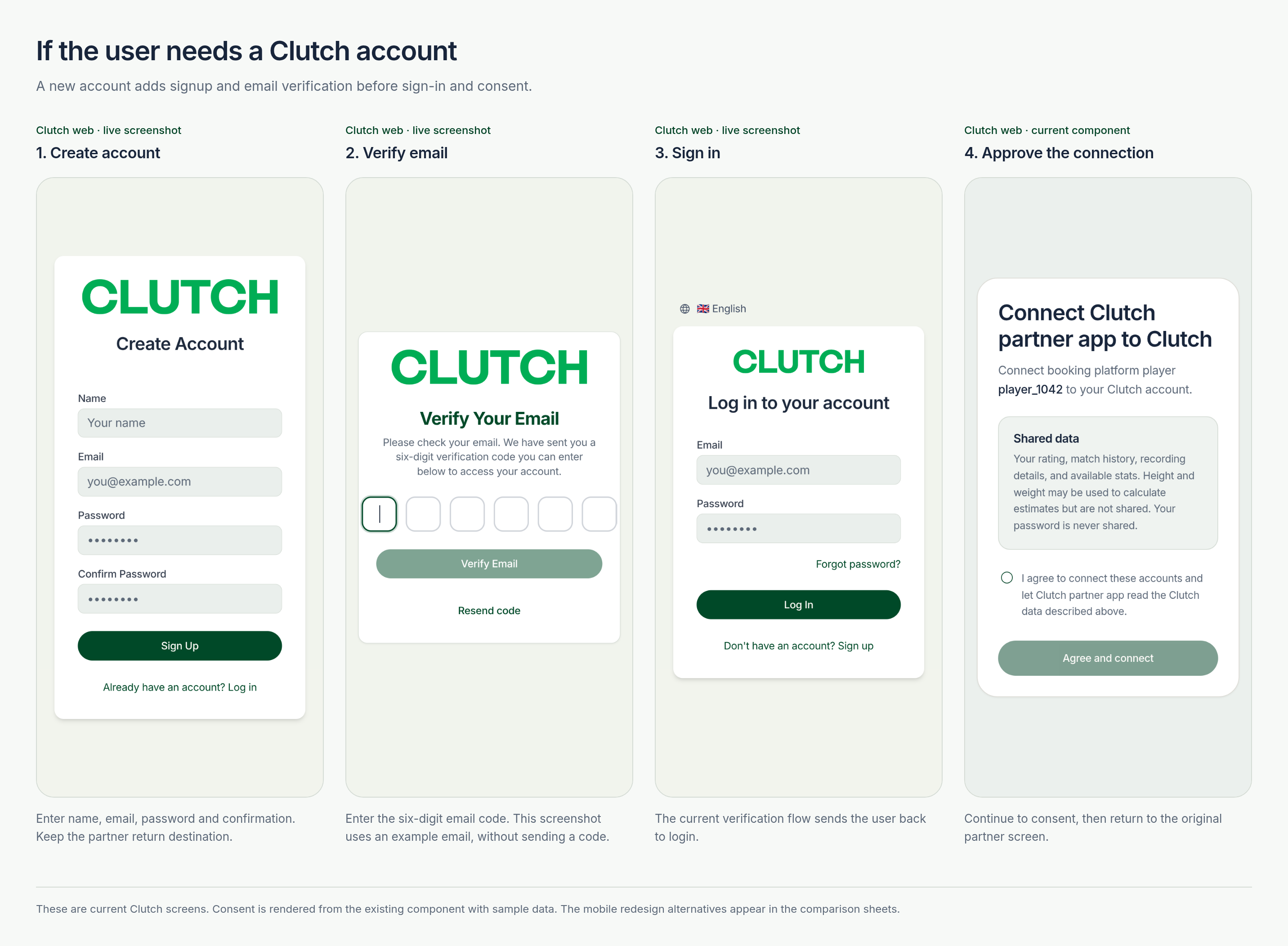
Blue screens represent the Clutch partner app. Clutch login uses a web screenshot; consent uses the Clutch component with sample data. Partner and return screens illustrate the integration.
Connect from settings
Connect before assigning a player
Create a Clutch account
Cancel or retry an expired link